Getting lost in GTA 6 is pretty easy. Leonida is full of story missions, side activities, and places to explore, so sometimes it’s hard to figure out what you’re supposed to do next.
I’ve had moments where a mission objective disappeared before I could properly read it. And after finishing a mission, you might find yourself driving around with no clear idea of where the next one is.
Thankfully, GTA 6 gives you a few handy ways to keep track of your missions. You can check your current objective, find the next story mission, and even read instructions that you missed earlier.
Here’s how to find your mission objectives and get back on track when you’re not sure what to do.
How to Check Your Current Mission Objective in GTA 6?
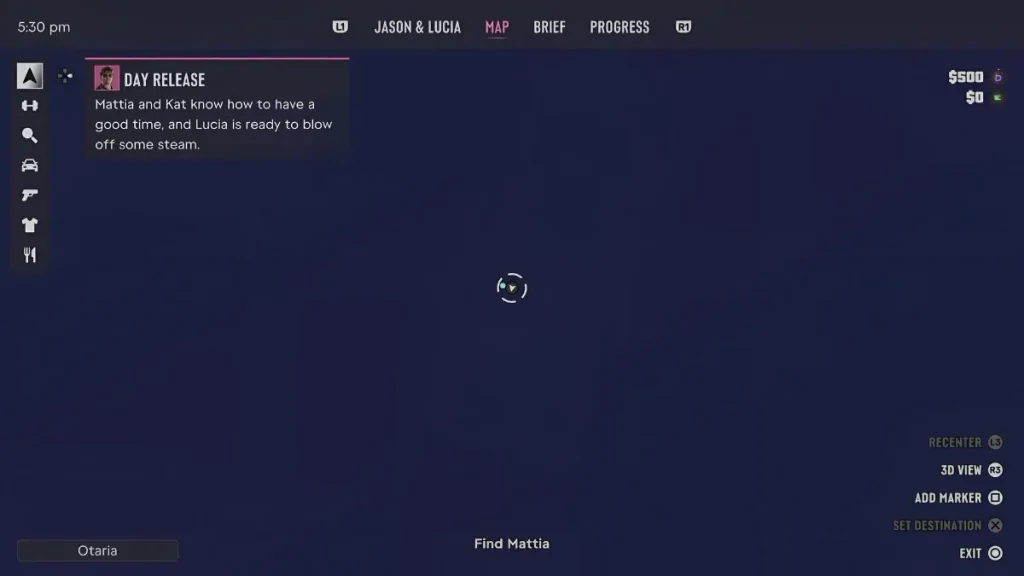
If you’re in the middle of a mission and can’t remember what you’re supposed to do, the easiest way to check is through the map.
On PS5, press the Touchpad to open the map. If you’re playing on Xbox Series X|S, press the View button.
Once the map is open, take a look at the mission information near the top-left corner. You’ll find your current objective displayed there, along with the instructions you need to follow.
You can also check the objective near the bottom of the map screen.
This is especially useful when the mission prompt disappears while you’re playing. Instead of guessing what to do next, just open the map and check the instructions again.
If you’re still getting used to the map, you can also check this GTA 6 map guide to learn how to open it and set a destination.
How to Find Your Next Story Mission?
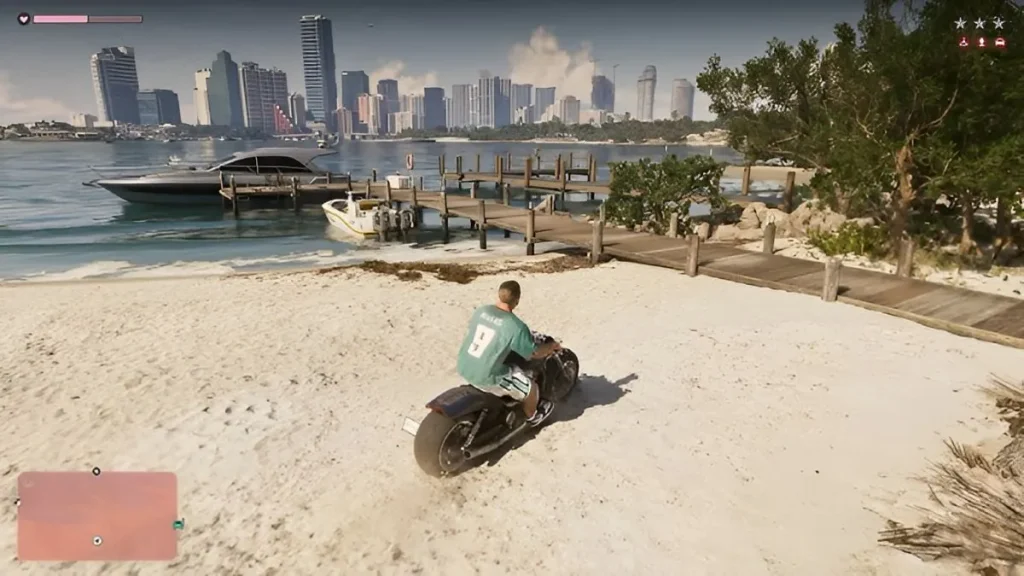
Sometimes you finish a mission, return to free roam, and suddenly have no idea where the next story mission is.
When that happens, I recommend checking the Index on your map. It’s a useful place to find missions, activities, shops, and other locations you’ve discovered around Leonida.
Here’s how to find your next story mission:
- Open the map using the Touchpad on PS5 or the View button on Xbox.
- Press Right on the D-pad to open the Index.
- Select the Story category.
- Look through the available missions.
- Highlight the mission you want to play and press X on PS5 or A on Xbox.
The Story category helps you keep track of your main missions and optional story activities. Main story missions appear at the top, while optional missions are listed separately.
Once you’ve selected a mission, the game will mark its location on your map. Close the map and follow the pink GPS route on your minimap to reach it.
The Index is also worth checking when you’re not looking for a story mission. You can use it to find activities, robberies, vehicles, and other interesting things to do around Leonida.
If you want to learn more about this feature, GamesRadar’s GTA 6 Index guide explains how it helps you keep track of missions and objectives.
How to Read Mission Instructions You Missed
One thing that can be annoying during missions is when a character gives you an important instruction, but the message disappears before you get a chance to read it.
Maybe you missed the name of a location, forgot what item you were supposed to find, or didn’t catch the next step during a conversation.
Fortunately, you don’t have to restart the mission just to see that information again.
GTA 6 has a Brief tab where you can check recent dialogue, help messages, and mission instructions.
To find it, open the pause menu by pressing Options on PS5. Then select Map and press R1 to move over to the Brief tab.
You’ll find a few different filters there:
- All: Shows recent dialogue, help messages, and objective instructions together.
- Dialogue: Lets you read recent conversations with characters.
- Help Text: Shows gameplay tips and instructions.
- Objective Text: Displays previous mission objectives.
If you’re stuck because you missed an instruction, go straight to Objective Text. You can read the previous objective again and figure out what the game wants you to do.
I find this especially useful during missions where you have to search an area, find a specific item, or complete several tasks in the right order.
You can also check this guide to viewing current objectives and missed dialogue in GTA 6 for more details.
How to Find Nearby Missions Without Opening the Map
You don’t always need to stop what you’re doing and open the full map just to find something nearby.
GTA 6 also has a Quick Navigation feature that helps you find nearby missions, activities, and useful locations while you’re exploring.
To use it, hold Down on the D-pad to open the nearby locations interface.
From there, you can browse the available locations and select something you want to visit. Press R3 on the selected location to set it as your destination.
This is a handy feature when you’re driving around Vice City and want to find something interesting to do without opening the map every few minutes.
Just remember that you can only have one active GPS destination at a time. If you’ve found several places you want to visit, you can add extra markers to the map and come back to them later.
What to Do If No Mission Objectives Appear in GTA 6
If you’ve finished a mission and can’t find another objective, don’t worry. It doesn’t always mean you’ve run out of story missions.
Some missions only become available after you’ve completed certain tasks or made enough progress in the story.
Here are a few things I’d try before spending too much time driving around looking for the next mission.
Check the Story Index
Open your map and look through the Story category. A new mission might already be available, even if you haven’t noticed its marker on the map.
Check Your Phone
Take a look at your recent messages, missed calls, and the Reminders section. Sometimes Jason or Lucia receives a message or call that points you toward the next mission.
Switch Characters
Some missions are only available when you’re playing as Jason or Lucia. If nothing appears for your current character, try switching to the other one.
Complete Other Activities
Certain missions require you to finish another task first. If you’re waiting for a new story mission, try completing an available activity and then check the map again.
Sleep and Advance Time
If you’ve checked everything and still can’t find a mission, head back to your character’s home and sleep. Advancing time can sometimes help trigger the next call or mission.
Also, keep in mind that not every activity in GTA 6 is required to finish the main story. Some missions and activities are completely optional, so you don’t need to complete everything you see.
When you’re stuck, the best place to start is the Story Index on your map. After that, check your phone for messages or calls. These two things should help you find your next objective without spending half your time wandering around Leonida.